
Yes. The BlindnessTest Cambridge Color Test is free in your browser with instant results and no sign-up required.
Cambridge Color Test
Take a free online Cambridge-style color vision test that measures how small a color difference you can detect along the protan, deutan, and tritan confusion lines. You find the gap in a hidden Landolt C ring buried in a field of grey noise dots, and an adaptive staircase estimates a discrimination threshold for each axis. Results show three threshold bars with mild, moderate, or strong screening bands.
Take the Cambridge Color Test
Choose Quick (15 trials) or Standard (24 trials) on the welcome screen, then press the arrow that points to the gap in the ring. Threshold bars and screening bands appear when you finish all trials.
Cambridge Color Test
Find the gap in the hidden colored ring and press the matching arrow.
Most quick color vision screens give a pass-or-fail answer: you either read the hidden numeral or you do not. The Cambridge Color Test asks a more precise question. Instead of whether you can see a target, it measures how small a color difference you need before the target becomes visible along a specific confusion line. That threshold is a graded number, so mild difficulty and severe difficulty look different rather than both reading as a simple fail.
The clinical Cambridge Color Test was developed at the University of Cambridge by John Mollon, John Reffin, and Brendan Regan, and described in their 1994 Vision Research paper. The laboratory version, sold as part of the Cambridge Research Systems Metropsis suite, measures chromatic discrimination thresholds along the protan, deutan, and tritan confusion lines using a Landolt C shown in spatial and luminance noise on a calibrated 14-bit display.
BlindnessTest follows the same paradigm on your everyday screen: a procedurally drawn noise field, a ring visible only by color, three interleaved adaptive staircases, and a four-choice gap response. It is a simplified Cambridge-style screening simulation on an uncalibrated sRGB display, not the laboratory-grade Cambridge Research Systems product. Published normative data such as Ventura 2003 and Carkeet 2017 applies to calibrated hardware, so treat browser thresholds as useful for education and same-device comparison, not for occupational certification.
If you have only used Ishihara plates before, this adds axis-specific detail that plates cannot give. Review test settings explained for Quick and Standard depth, or read what your threshold results mean after you finish.
How Does the Cambridge Color Test Work?
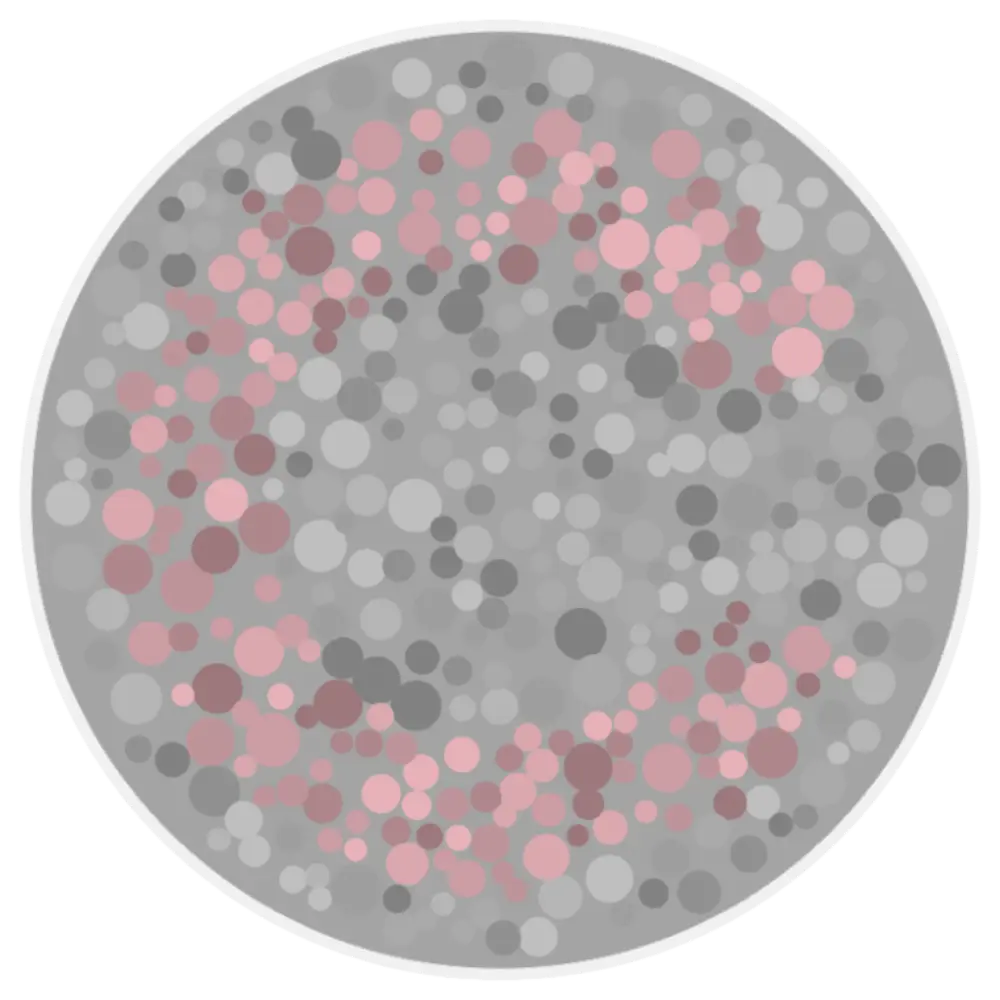
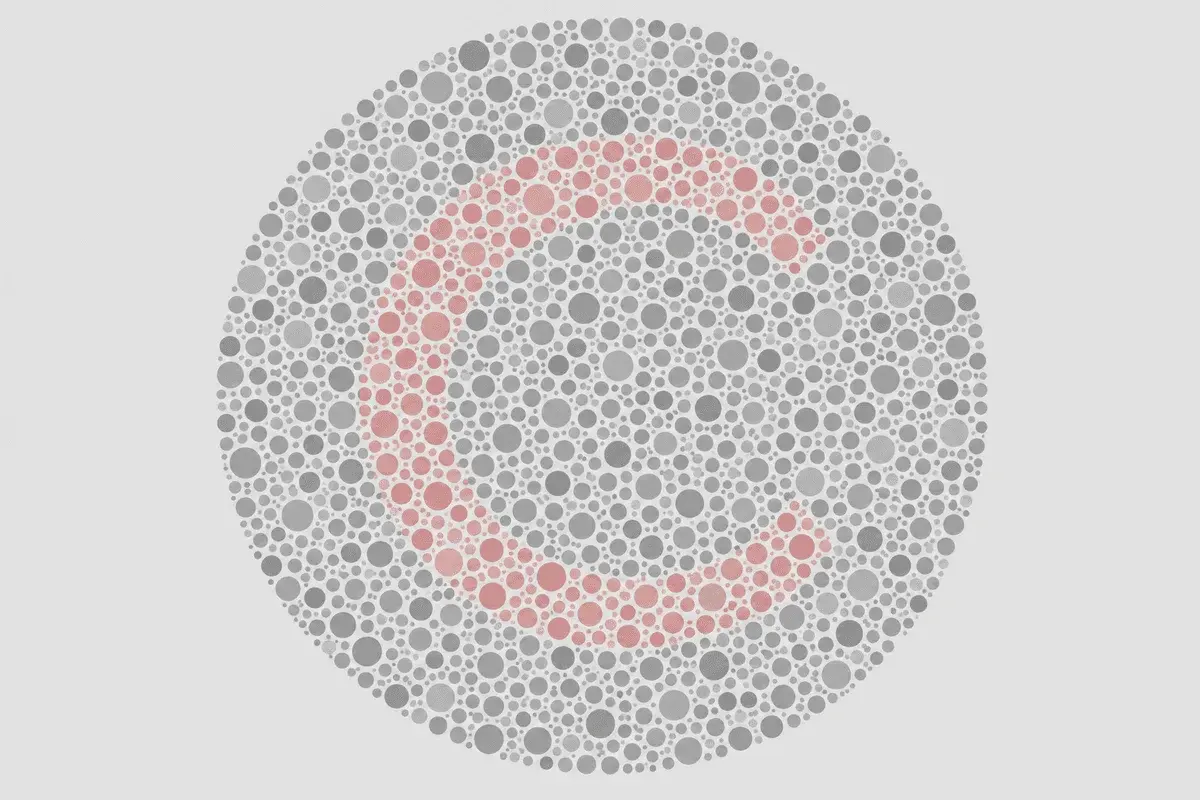
Each trial shows a Landolt C, a ring with a small gap on one side, drawn from hundreds of colored dots inside a field of grey dots of random size and brightness. The gap points up, down, left, or right, and you press the matching arrow or use the keyboard arrow keys.
Because the dots vary randomly in luminance, you cannot find the ring by brightness or edges alone. The only reliable cue is the color difference between the ring dots and the background, which is exactly what the test is probing.
The tool runs three separate staircases at once, one for the protan (red) axis, one for the deutan (green) axis, and one for the tritan (blue-yellow) axis. Trials from the three axes are interleaved in rotation so you cannot predict which axis is being tested.
After each answer, a two-down, one-up adaptive staircase adjusts the color difference on that axis: two correct answers make the next ring harder to see, and one wrong answer makes it easier. This converges near the point where you are right about 71 percent of the time.
The clinical instrument offers two protocols: a Trivector test that measures a single threshold along each of the three confusion lines, and a slower Ellipses test that maps full discrimination ellipses around a color in space. This tool follows the faster Trivector approach, which is what produces the three axis thresholds you see at the end.
Quick mode runs 15 trials (5 per axis) and Standard mode runs 24 trials (8 per axis). Choose Quick or Standard on the welcome screen before you start, and open Settings there to show or hide the trial counter before the run begins. There is no forced response timer, so you can take a moment on each ring.
When every axis reaches its trial count, the tool estimates a threshold for each one from the color differences at your last few staircase reversals. Lower thresholds mean better discrimination. Those three numbers feed the screening bands described in what your threshold results mean.
How to Prepare for Cambridge-Style Screening
Axis thresholds respond to how your screen renders subtle color differences. These steps mirror common clinic prep adapted for online use. Choose Quick (15 trials) or Standard (24 trials) on the welcome screen, and open Settings there to show or hide the trial counter and pick a White or Black plate surround before you start.
- Set screen brightness to 100% when possible.
- Turn off Night Shift, True Tone, blue-light filters, and color-correction or accessibility tint apps.
- Use even indoor or daylight-neutral lighting. Avoid strong colored lamps behind you.
- Sit at arm's length with the display flat and viewed straight-on. Reduce glare on the panel.
- Remove tinted lenses for the run. Keep everyday prescription glasses on if you normally wear them.
- Complete all trials in one sitting. Quick mode runs 15 trials (5 per axis); Standard runs 24 (8 per axis).
Test Settings Explained
Test depth
Quick runs 15 trials, five on each of the protan, deutan, and tritan axes, and finishes in about two minutes. Standard runs 24 trials, eight per axis, in about four minutes for a steadier threshold estimate. Choose depth on the welcome screen before the first ring appears.
Response method
Press the on-screen arrow that points to the gap in the ring, or use the keyboard arrow keys. Each trial has four possible gap directions (up, down, left, right), so guessing alone averages only one in four correct.
Trial counter
Show displays a progress pill with trials completed out of the total during the run. Hide removes it for a cleaner view. Choose Show or Hide in Settings on the welcome screen before you start. The counter reflects how far the interleaved staircases have progressed, not your score.
Adaptive difficulty
Difficulty is not fixed. Two correct answers on an axis lower the color difference on the next ring for that axis, and one wrong answer raises it. Early rings are easy to confirm you understand the task, then the test narrows toward your threshold.
No timed pressure
This tool does not enforce a response window. Clinical Cambridge testing often uses a short response time, but here you can pause on each ring. Answer as soon as you are confident about where the gap points.
Plate background
Choose White or Black for the area around the circular plate. Black can reduce glare in a dim room. This does not change the grey dot field inside the plate. Open Settings on the welcome screen before you start.
Saved preferences
Your depth, trial-counter, and plate-background choices persist in local browser storage on the same device, so the next visit remembers them. This tool does not store your results between sessions, so note your thresholds if you want to compare later.
The Three Confusion Lines This Test Measures
Color discrimination is not a single ability. Different types of color vision deficiency weaken specific directions in color space called confusion lines, where colors that should look different start to look the same. The Cambridge Color Test measures a threshold along each of the three main confusion lines separately, so a weakness on one axis stands out even when the others are typical. Drag each slider below to see how everyday scenes shift along the protan, deutan, and tritan directions.
Protan Axis (Red Confusion Line)
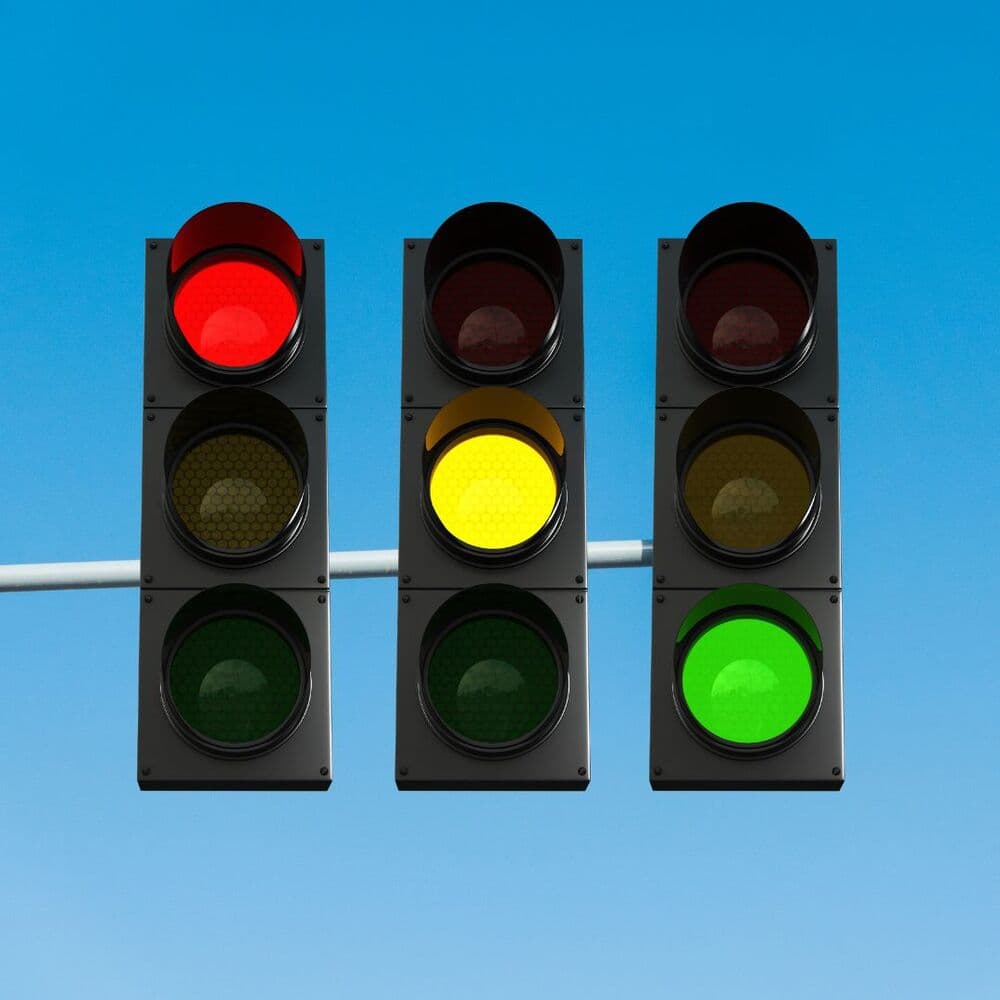
The protan confusion line follows the direction that becomes ambiguous when the long-wavelength L cones shift or fail. Along this axis, certain reds, oranges, and greens move toward each other, and reds can also look dimmer. The Cambridge staircase raises the ring color along this line until you can no longer find the gap, then records that distance as your protan threshold.
A raised protan threshold means you needed a larger color step than a typical observer to see the ring on this axis. This is common in inherited red-green deficiency, which is passed on the X chromosome and appears far more often in men. The tool reports the red-green axis and whether protan or deutan looked stronger, but it does not separate protanomaly from protanopia.
In daily life a raised protan threshold shows up as difficulty telling a ripe fruit from an unripe one, or a red status light from an amber one, especially at a distance where the color is small and unsupported by context. The staircase reproduces that challenge in a controlled way, pushing the ring color along the protan line until the gap dissolves into the surrounding noise.
Deutan Axis (Green Confusion Line)

The deutan confusion line follows the direction that weakens when the medium-wavelength M cones shift. It is the most common inherited red-green pattern. Along this axis, muted greens drift toward brown, pinks toward grey, and some blues toward purple, as the pencil simulation shows when red and green casings move closer in hue.
Because the deutan staircase runs on its own, a deutan pattern can register even when a red-green plate test on the same screen feels borderline. When the deutan threshold is the higher of the two red-green axes, the result names a deutan pattern, again as screening only rather than a clinical subtype.
Deutan is the most common confusion line, and because the deutan and protan directions sit close together in color space, the two red-green thresholds often rise together. What separates them is which one rises further: the tool names a deutan pattern when the green line needs the larger color step. Reading the two as a pair is usually more informative than either number in isolation.
Everyday signs include greens that read as khaki or brown and pinks that look grey. Because a mild deutan shift can still pass a quick plate screen, a threshold that sits just above the normal marker here is worth a careful repeat on the same device before you draw any conclusion.
Tritan Axis (Blue-Yellow Confusion Line)

The tritan confusion line involves the short-wavelength S cones on the blue-yellow pathway. Congenital tritan deficiency is rare next to red-green inheritance, but the blue-yellow axis is also sensitive to acquired changes from aging lenses, some medications, and eye disease, so a raised tritan threshold deserves attention.
The Cambridge Color Test is one of the few quick screens that measures the blue-yellow axis directly. The tritan reading can be raised even when red-green plates look normal. On uncalibrated screens the blue-yellow direction is also the hardest to render accurately, which is one reason browser thresholds are screening estimates rather than clinical values.
The blue-yellow line is unusual because it is the one most often affected by something other than inherited genetics. Age alone yellows the lens and lifts the tritan threshold gradually, and the sRGB blue primary is where a consumer screen struggles most to render fine steps. Both facts mean a mildly raised tritan reading here deserves a same-device repeat before it is taken as a sign of anything.
Why Confusion Lines Matter
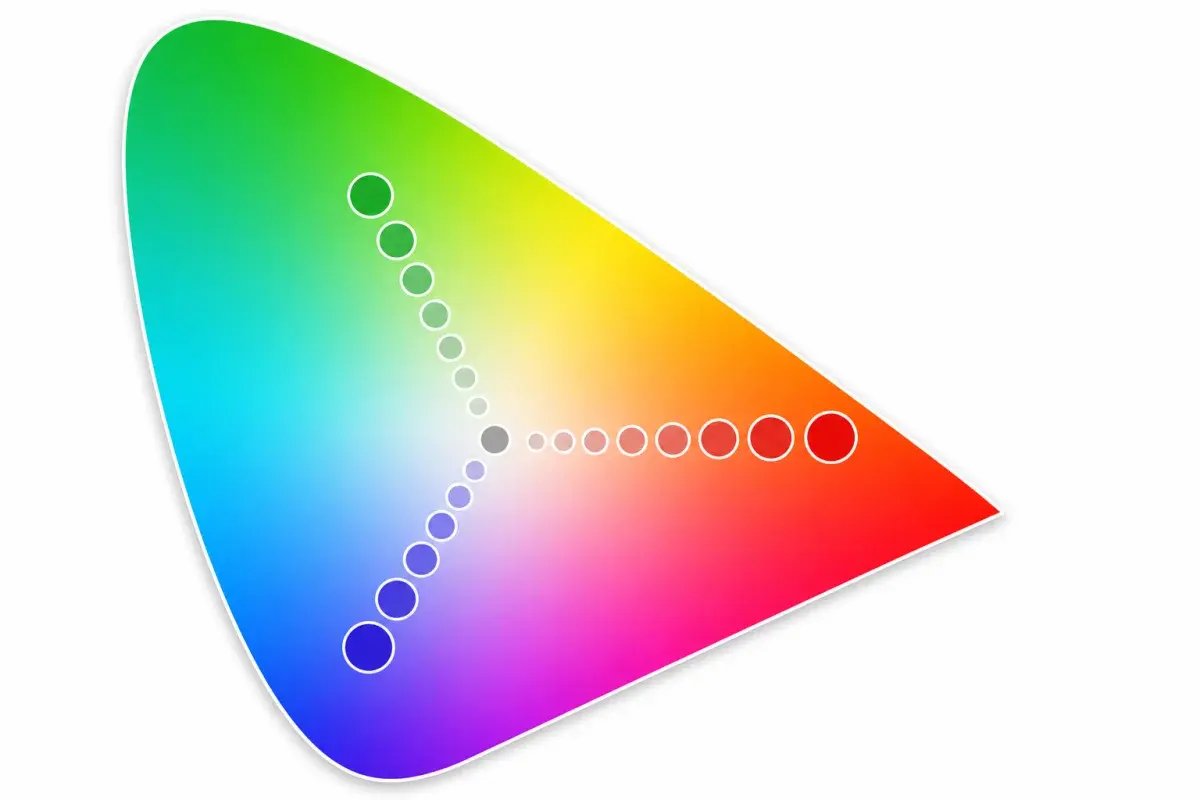
Colors can be placed on a chromaticity map, where nearby points look similar and distant points look different. For each type of color vision deficiency, there is a direction on this map along which colors are especially easy to confuse. Those directions are the protan, deutan, and tritan confusion lines shown radiating from the neutral center.
The Cambridge Color Test moves the ring color outward from the grey background along one confusion line at a time and finds how far it has to travel before you notice it. Measuring each line on its own is what lets the test separate a red-green pattern from a blue-yellow pattern, and lets it grade how far a given axis has shifted rather than only flagging a fail.
Display Bit Depth and Threshold Accuracy
Cambridge Research Systems states plainly that the 8-bit output of ordinary computer graphics is too coarse to measure the true limits of human color discrimination. Clinical Cambridge testing runs on a 14-bit, photometer-calibrated monitor in a controlled room. Your phone, tablet, or monitor uses 8-bit sRGB with an unknown white point and gamma, so the finest color steps near your threshold get rounded off, especially on the blue-yellow axis where the sRGB gamut clips.
Set brightness near 100 percent, turn off Night Shift, True Tone, and blue-light filters, remove tinted lenses, and reduce glare before you start. Even then, treat the numbers as relative to your screen. Thresholds are only comparable across sessions when you use the same device and settings, so repeat on the same screen if a result surprises you before drawing any conclusion.
What Your Threshold Results Mean
Your result shows three axis thresholds from this Cambridge-style screening run. Lower values mean better discrimination. These numbers are relative to your display, not clinical Cambridge Research Systems norms.
Results show protan, deutan, and tritan discrimination thresholds as ×10⁻⁴ u′v′ values. Lower is better. Bars above the normal-range marker suggest axis difficulty on your display.
Screening labels (mild, moderate, strong) compare raised thresholds to the normal cutoff on this tool. They are not clinical severity grades from calibrated Cambridge equipment.
Uncalibrated monitors and ambient glare can shift chromatic thresholds. Repeat under stable conditions on the same device if results surprise you, and follow up with a professional exam when needed. For separate red, green, and blue channel scores with type hints, continue with the Color Blind Test.
Screening bands when an axis threshold exceeds the normal-range marker (×10⁻⁴ u′v′ on this tool)
| Threshold on raised axis | Screening band | What it means on this site |
|---|---|---|
| Below 150 | Within normal range | All three axes fall below the normal marker on this run. Repeat on the same device if conditions change. |
| 150 to under 300 | Mild | Raised threshold on the dominant axis. Subtle discrimination difficulty on your display, not a clinical severity grade. |
| 300 to under 490 | Moderate | More pronounced axis difficulty on this run. Retest in stable lighting if the result surprises you. |
| 490 or at bar ceiling | Strong | Threshold near the display ceiling on that axis. Screening only; follow up with an eye care professional when needed. |
Frequently Asked Questions
Limitations of Online Cambridge-Style Screening
Uncalibrated displays
Clinical Cambridge testing requires photometer-calibrated monitors with 14-bit color resolution. Consumer sRGB screens quantize near-threshold colors, so browser thresholds cannot match published Ventura or Carkeet norms.
Environmental factors
Ambient lighting, screen tilt, Night Shift, and blue-light filters shift chromatic appearance. Use brightness at 100%, disable color filters, and view the screen straight-on for the most stable results.
Screening scope
This tool does not output clinical discrimination ellipses, age-adjusted tritan norms, or protanopia versus protanomaly separation. A comprehensive evaluation requires in-person testing by an eye care professional.
Not for certification
Aviation, maritime, and medical licensing require supervised in-person tests (for example FAA-approved CAD, RCCT, or WCCVT). Use this page for education and private screening only.
Academic References and Clinical Context
BlindnessTest estimates chromatic discrimination thresholds using three interleaved adaptive staircases, one per confusion line, on a procedurally drawn Landolt C in a luminance-noise field. This follows the Cambridge Color Test paradigm from vision science: vary the chromatic difference along a confusion line and bracket the threshold from forced-choice responses. The engine uses a deterministic two-down, one-up staircase with a fixed trial count rather than the reversal-based stopping rule of the commercial instrument.
The references below tie the Cambridge paradigm and related clinical guidance to specific parts of this screener, including confusion-line geometry, luminance-noise masking, adaptive thresholds, and responsible result language. Results still reflect performance on your uncalibrated display and do not replace calibrated in-clinic instruments or occupational certification protocols.
- Regan, Reffin & Mollon (1994)
Luminance noise and the rapid determination of discrimination ellipses in colour deficiency. Vision Research, 34(10), 1279-1299. PMID: 8023437. The definitive description of the Cambridge Color Test, including the Landolt C in noise and the trivector threshold method this tool adapts.
- Mollon & Reffin (1989)
A computer-controlled colour vision test that combines the principles of Chibret and of Stilling. Journal of Physiology, 414, 5P. Introduces the combined noise-field and adaptive-excursion design behind the Cambridge test.
- Ventura et al. (2003)
Preliminary norms for the Cambridge Colour Test in young adults. Establishes tolerance limits on calibrated hardware, which is why browser thresholds cannot be compared directly to clinical norms.
- Carkeet et al. (2017)
Normative data for the Cambridge Colour Test across the lifespan. Vision Research. Shows that tritan thresholds rise with age, so older observers can look raised on the blue-yellow axis without disease.
- National Eye Institute (NEI)
Overview of inherited and acquired color vision deficiency. Separates congenital red-green patterns from acquired changes that may need follow-up, which guides how this tool frames raised protan, deutan, and tritan axes.
- American Academy of Ophthalmology (AAO)
Patient-focused explanation of color blindness types, symptoms, and clinical care. Aligns with our disclaimers: online results screen display performance and do not replace calibrated in-clinic exams.
- American Optometric Association (AOA)
Covers symptoms, professional testing options, and follow-up with an optometrist. Online screening can guide whether an in-person discrimination assessment is worthwhile.
- NHS: Colour Vision Deficiency
Guidance on red-green, blue-yellow, and complete color vision deficiency, including daily-life and vocational impact. Informs practical result summaries rather than certification or diagnosis.
- FAA AME Guide Item 52
United States aviation medical guidance on color vision testing. Confirms that initial pilot color certification uses approved computerized tests (CAD, RCCT, WCCVT) in person, not the Cambridge test or any online screener.
Spot the hidden 'C'?
Take the Cambridge Color Test for Cambridge-style axis screening on your display — not a clinical diagnosis.